Salesforce package · Rollups & lookup matching
Cascade
Every total and every lookup, kept right. No code.
Roll up any child field to its parent and fill in lookups by matching records whose values line up — across any relationship, with a setup experience that shows you the result before you save it. Built to cover what teams use Rollup Helper, Lookup Helper and DLRS for.
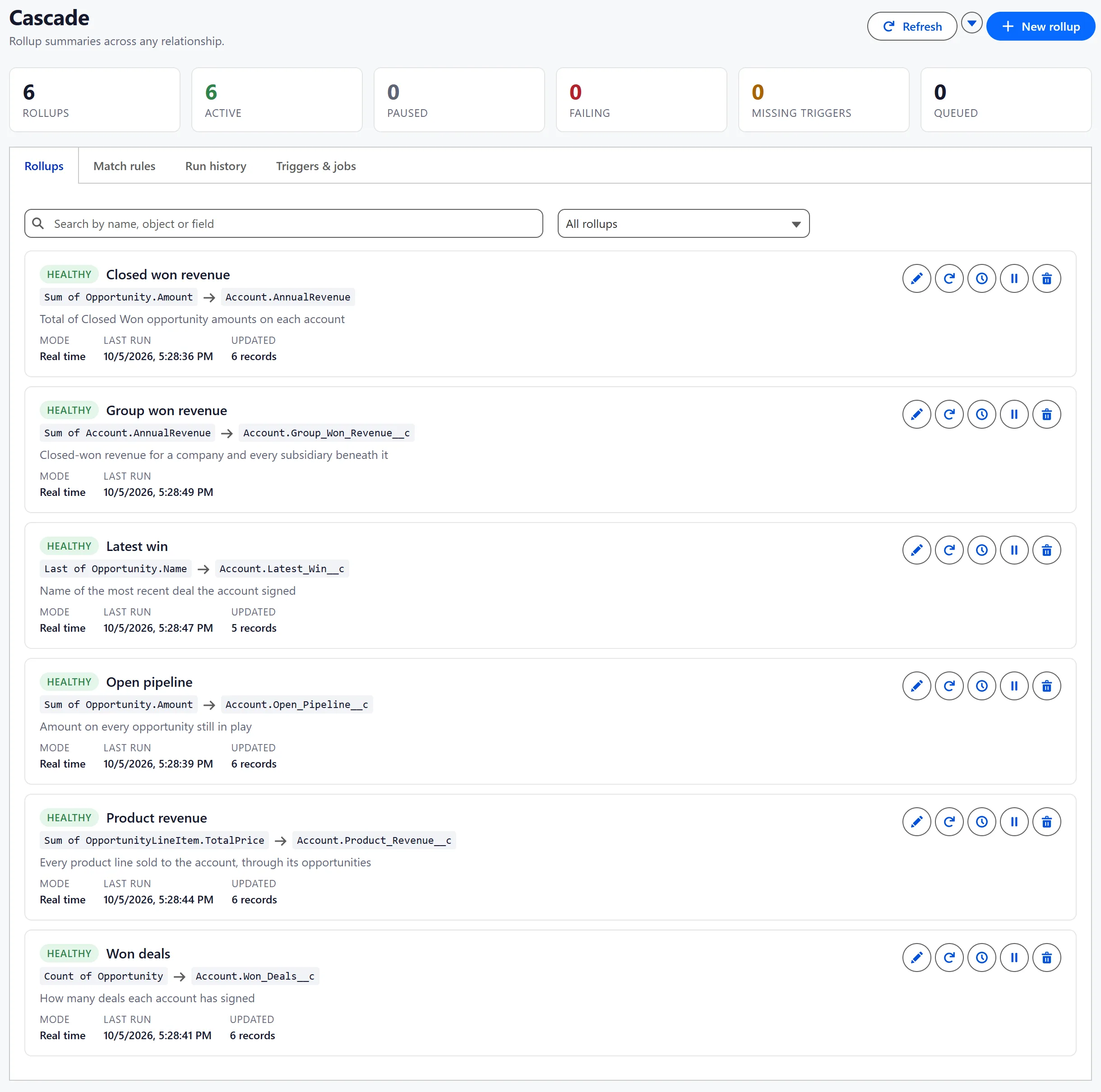
The difference you feel first
See the answer before you save it.
The last step of the wizard runs your rollup against real records inside a rollback, then shows what each record holds now and what it would hold after saving. Nothing is written until you say so.
- Current versus computed, record by record
- Plain-language notes on anything worth reading first
- How big the job is at your org's size, and whether to stage the first run
- The fields it watches and the SOQL it will run
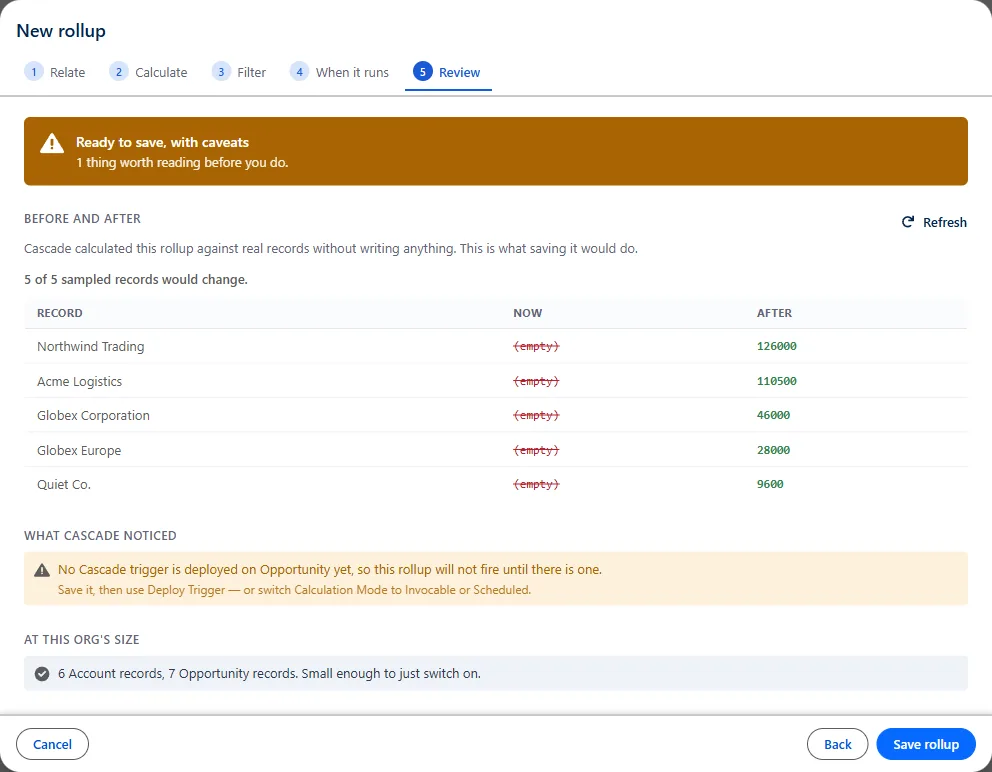
Rollups
Aggregate anything up to its parent.
Closed-won revenue on the account, open pipeline, product revenue through the opportunity, the latest deal signed, a group total across subsidiaries — declared once, kept current automatically.
Ten operations
Count, Count Distinct, Sum, Average, Min, Max, Concatenate, Concatenate Distinct, First and Last.
Point-and-click filters
Conditions with 1 AND (2 OR 3) logic, or a raw SOQL WHERE clause. Compare against a value, a date literal, the current user, or a field on the parent.
Ordering and limits
Order by any field, either direction, nulls first or last, with an optional per-parent row limit.
Runs when you need it
Real time, watch-and-process-later for high volumes, from Flow, on a schedule, or from your own Apex.
Any relationship
Lookups and master-details, multiple hops like line items up to the account, and whole branches of a parent-child hierarchy.
Multi-currency, exactly
Amounts are converted into each parent record's currency, or into the corporate currency.
Targeted recalculation
Recalculate on demand or on a schedule, scoped by a WHERE clause so you can fix 300 records instead of five million.
Quiet until it matters
A nightly digest of anything failing, and nothing at all when all is well. Old run history is purged on the schedule you set.
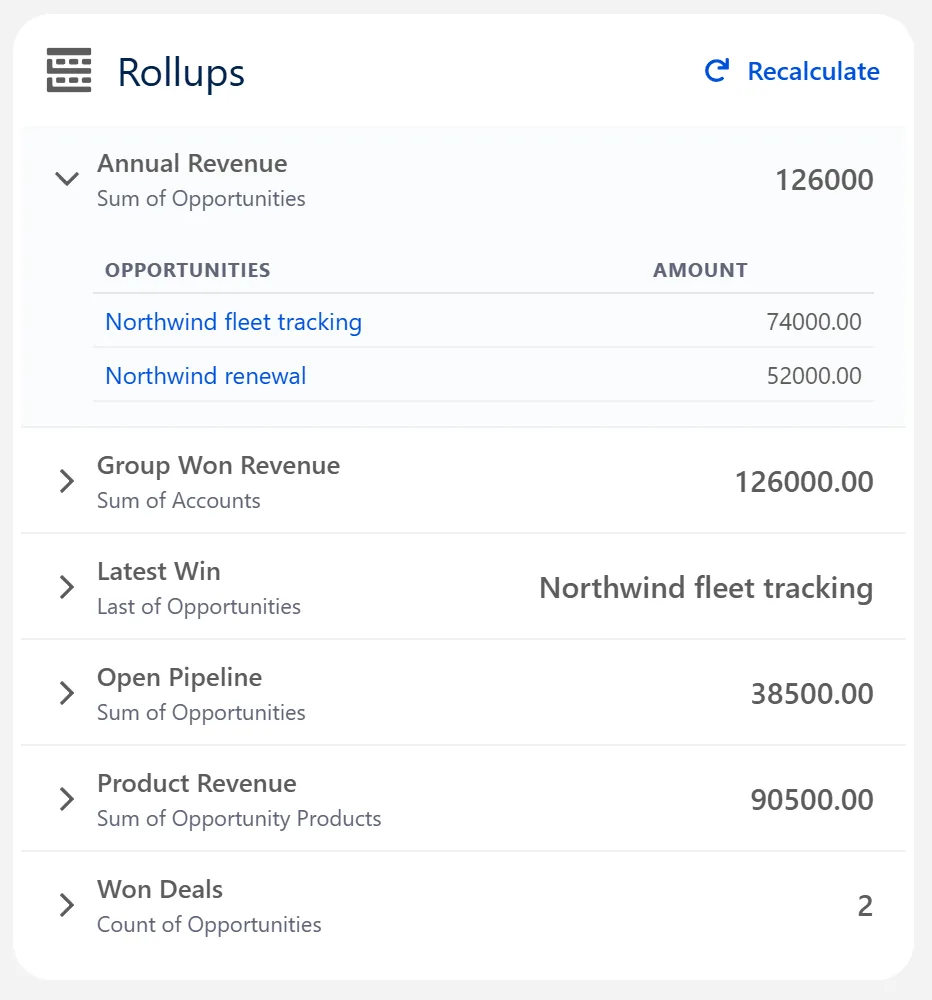
On the record page
Know where every number came from.
Add the Cascade Rollups component to any record page. Every rollup value expands to show the child records behind it — in the order the rollup reads them, filtered the way the rollup filters — so nobody has to take a total on faith.
Lookup matching
Fill in lookups by finding the record that lines up.
Relate contacts to their company, leads to accounts, cases to the right customer. Raw values almost never match, so the comparison is the point.
Compare values the way people mean them
Domain matching is the one that earns its keep: SOQL cannot match an email field against a website field. Public email domains like gmail.com are ignored by default.

Cautious defaults
A lookup someone already set is left alone. An ambiguous match is reported rather than guessed. When nothing matches you can leave it, clear it, or create the record — one per distinct company, so five hundred leads from one company produce one account.

Why a lookup points where it does
A wrong total looks wrong; a lookup pointing at the wrong account looks exactly like a right one. The matching component shows what each condition compared, what it was normalised to, and how many records that reached.

One trigger per object serves both engines, and match rules run first — so a newly matched lookup is counted by a rollup in the same save.
Setup
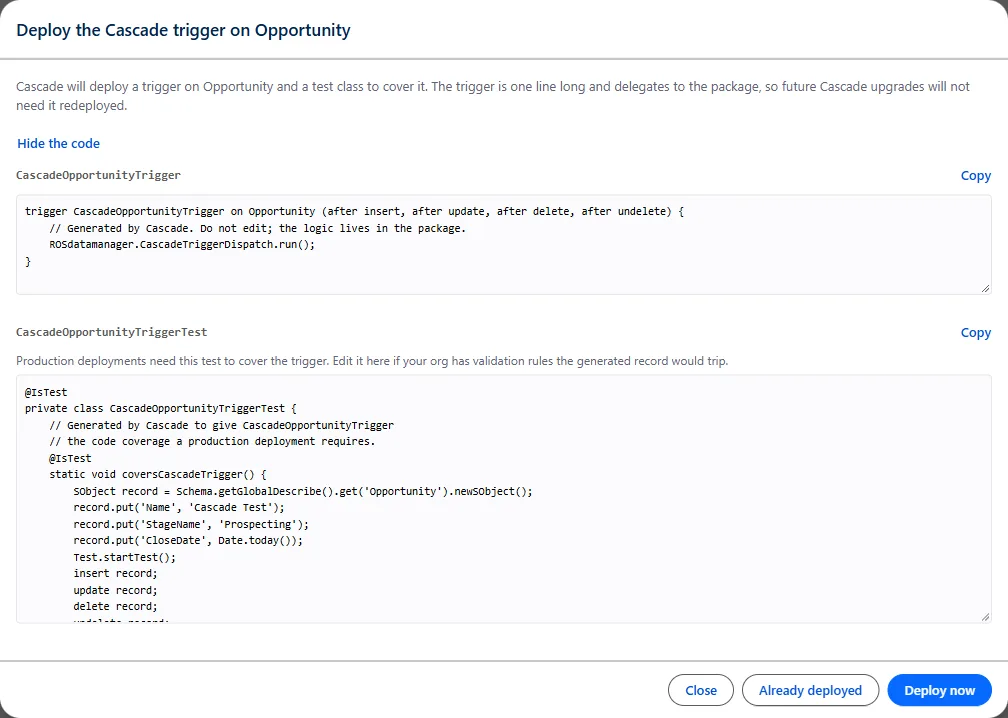
One click to deploy the trigger.
Cascade builds the trigger and a test class that covers it, and deploys both from the console — valid for production, in about thirty seconds. The trigger is a single line that hands off to the package, so upgrades never need it redeployed.
Review the generated code first if you like, and edit the test for orgs with strict validation rules.
Why Cascade
Built for the admin who has to trust the numbers.
See the answer before you save
The wizard's last step calculates the rollup against real records inside a rollback and shows current versus computed, row by row.
It deploys the trigger for you
One click builds the trigger and its test class and deploys them through the Metadata API. No pasting Apex by hand, once per object.
It works out which fields to watch
Cascade derives them from the source, filter, order-by and relationship fields, so a rollup never silently stops updating because one was forgotten.
No two rollups fight over one field
Cascade refuses a second rollup aimed at a field another one already writes, instead of letting you find out from wrong numbers.
It shows its work
Every value on a record page expands to the child records behind it, and Cascade shows you the SOQL it will run. No black box.
Configuration travels as JSON
Export and import rollups and match rules together between orgs. One bad definition is reported by name instead of abandoning the rest.
In action
A tour of Cascade.
Real screens from a Salesforce org running Cascade. Select any screenshot to enlarge it.
Swipe for more · 11 screens
Switching over
Bring the rollups you already have.
Orgs don't arrive empty. Cascade's Migrate screen reads the configuration your current tool already has and turns it into Cascade rollups, with no retyping. Nothing in the other tool is changed or switched off.
DLRS configurations are read directly, from either of its two stores, with filters carried across as written. Rollup Helper and home-grown configuration objects get a proposed mapping that you confirm column by column before anything is imported.
Everything arrives paused
Two tools writing one field produces numbers that flicker, which takes far longer to notice than numbers that are simply wrong.
Importing twice is safe
Rollups are keyed on their source, so a second run updates the first instead of duplicating it.
Nothing is approximated silently
An operation with no equivalent, a dropped sort field or a missing schedule is named on its own row before you import.
Prove it before you cut over
Each imported rollup's preview shows what Cascade would write beside what your current tool put there. Matching numbers are the evidence the switch is safe. Then deploy the trigger, turn the old rule off, activate Cascade and backfill.
Install
Up and running in three steps.
Cascade is a managed package that installs by link. Try it in a sandbox or a Developer Edition org first if your change process calls for it.
- 01
Install the package
Choose the link for the kind of org you are installing into, then sign in and approve the install. Current release: 1.2.0.3.
- 02
Grant access
Assign the Cascade Administrator permission set to whoever will configure rollups. Give Cascade Viewer to people who only need the record-page panels. Nobody sees the app without one.
- 03
Build your first rollup
Open Cascade from the App Launcher and choose New rollup. Stop at the Review step to see the answer, save, then deploy the trigger in one click.
Moving off another rollup or lookup tool?
We can map your existing rollups and match rules, plan the switch, and help you retire the old package without a gap.